Content earns attention
Visual weight follows the user’s task. Navigation and decoration step back once orientation is complete.
KIN DESIGN SYSTEM / 3.0.0 DEVELOPMENT
KIN is an open design system for websites and applications where people read, compare, decide, or act. It provides shared rules for structure, themes, interaction, accessibility, data, and AI-assisted work.
KIN keeps decisions consistent without forcing every product into one layout or visual template.
Visual weight follows the user’s task. Navigation and decoration step back once orientation is complete.
Alignment, spacing, surface levels, and restrained hairlines explain relationships without building a card wall.
Important values carry a definition, unit, time range, source, and an honest unknown or stale state.
High-impact actions show scope and consequence. Suggestions, rules, facts, and executed automation remain distinct.
Professional interfaces remove repeated explanation and ornament before reducing readability or touch targets.
The live values below respond to this page’s theme and contrast controls.
Hierarchy without heavy shadow
Color communicates meaning, not decoration
Compact application scale with readable body text
4px base grid
Lucide · named imports · 1.5px stroke
Open runnable references for authentication, controls, motion, feedback, overlays, and specialist workflows. States are part of the contract.
KIN does not make every product a three-column dashboard. Each pattern preserves the information and controls its task requires.
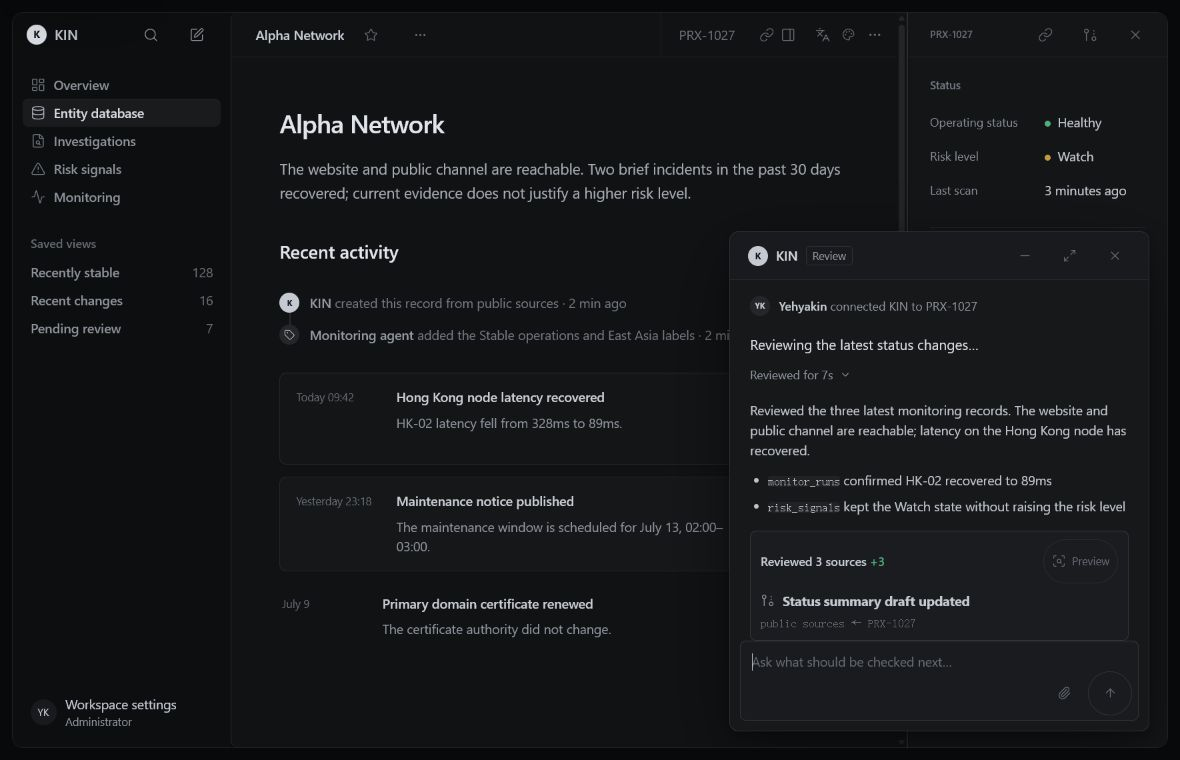
Saved views, entity identity, chronology, evidence, properties, and reversible review decisions.
Current state, recent changes, and verified sources remain visible together.
Reading order, provenance, search, stable URLs, correction history, and content that remains useful without decoration.
Readers can identify the subject, currency, origin, and next navigation step before promotional content competes for attention.
The article remains readable when images, motion, or generated summaries are unavailable.
Products, money, inventory, channels, approvals, and automation stay distinct so operators can act safely.
Tools, structure, geometry, units, constraints, revisions, and generated changes support precision without competing with the canvas.
AI is useful when its source, uncertainty, scope, and effect stay visible. It is not a visual theme.
State the recommendation or result without presenting inference as confirmed fact.
Link the records, rules, inputs, and sources that support the result.
Expose missing, conflicting, stale, or model-estimated information.
Offer a previewable next step with scope, confirmation, audit history, and rollback where possible.
Pin an exact KIN version, keep a local contract copy, and record the project’s own decisions instead of relying on a vague style prompt.
Read DESIGN.md, DELIVERY.md, and principles/visual-signature.md completely before changing UI.
Treat it as a normative product design contract. Start from the real user task,
entity model, data states, and existing components. Preserve themes, mobile,
keyboard, accessibility, real APIs, and human control. If kin.config.json exists,
read its implementation brief and route/profile map. Report the KIN composition
checkpoint before coding; do not implement a draft or unresolved workflow.Normative documentation and generated files are versioned together and checked in CI.
Stable access, setup, settings, recovery, search, and support references sit beside a candidate scheduling workspace. Each reference names its URL state, failure paths, focus behavior, maturity, and product-owned backend boundary.